The right chart on every product, without editing one
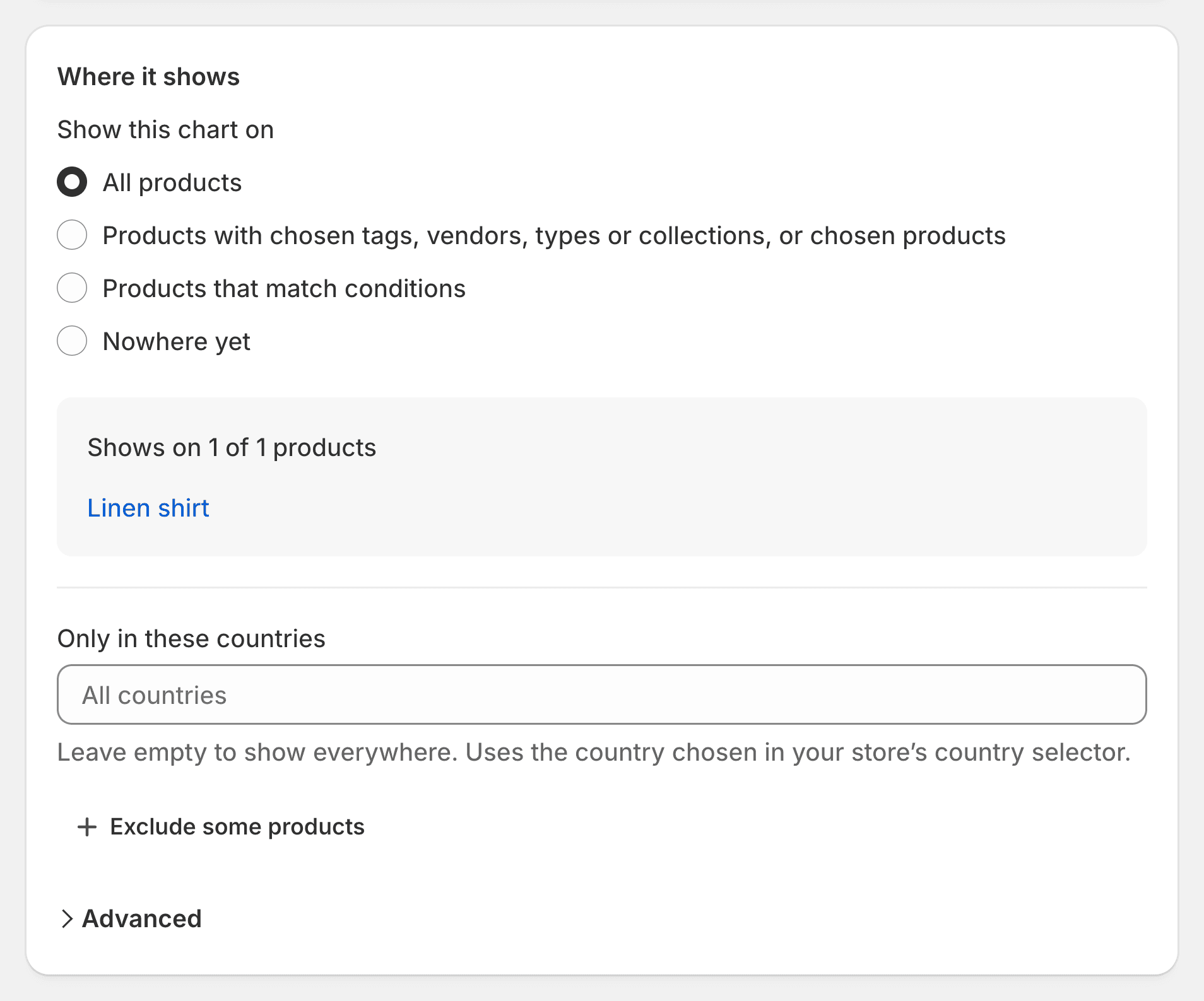
Rules choose where each chart shows: by tag, type, vendor or collection, by words in the title, by SKU, or by country. You see the products it will show on before you save, and a report lists every product that still has no chart.

Simple rules, or precise ones
Most stores need one line: all products, or a tag. Others need more, and it’s there.
Everywhere, or chosen products
All products, chosen tags, vendors, types or collections, or a hand-picked list.
Conditions
Title or handle contains, starts with, ends with, is or isn’t, combined with AND or OR. SKU too.
Exclusions and priority
Leave out tags, vendors, types, collections or products, and decide which chart wins when two match.
By country
Show a chart only to shoppers of chosen countries, as set by your store’s country selector.
Placed next to the size option, by itself
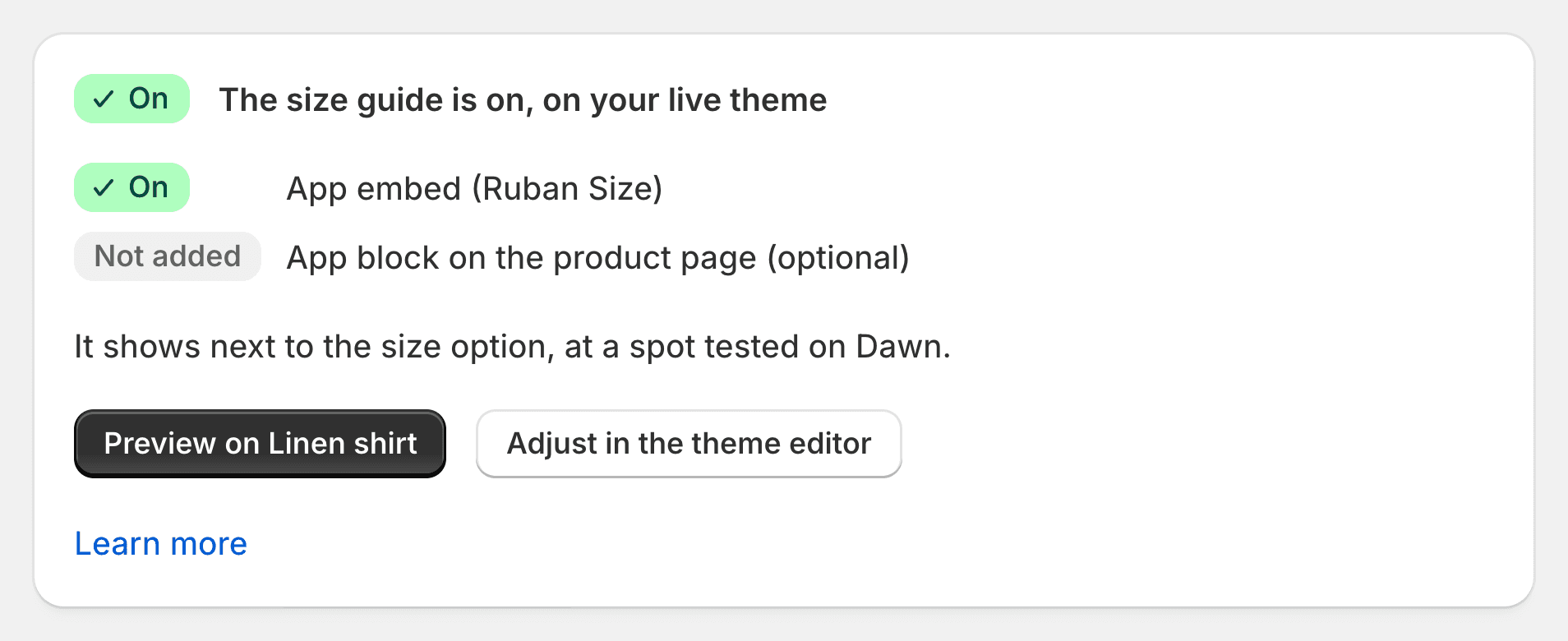
Turn on the app embed in one click: on 25 of the 26 themes most used by stores with size charts, the guide link lands next to the size option on its own. Or drag the app block exactly where you want it in the theme editor.
Your old app’s spot
Coming from another size chart app? The guide shows where the old link was, and the old link is hidden until you uninstall it. From Kiwi, MP or BF, it also keeps the old link’s style: button or link, text and icon.
We place it for you
Not where you want it? Write to us: we place it by hand, for free, and reply within the day.
No product left without a chart
The coverage report finds what rules miss, with a one-click fix for each.
Products with sizes and no chart
Every product with a size option that shows no chart.
Charts shown nowhere
Active charts that match no product.
Products with several charts
To check that the tabs are the ones you meant.
How it works
Open “Where it shows”
In the chart, the second tab.
Choose the products
All, chosen ones, or conditions; exclusions and countries if needed.
Check, then save
The list of matching products updates as you choose.
Product rules: questions
Do I have to edit my products?
No. Rules read your tags, types, vendors, collections, titles and SKUs. You never open a product to attach a chart.
Can I show different charts in different countries?
Yes. Each chart can be limited to a list of countries, matched with the country your store’s selector shows.
What if two charts match the same product?
Both show, as tabs, the highest priority first. Set the priority in the chart, or exclude the product from one of them.
Does it work with my theme?
Yes: an app block for every Online Store 2.0 theme, an app embed for older ones. If the link isn’t where you want it, we place it for you, for free.
Try Ruban Size on your store.
Free for 5 size charts. Pro and Fit start with a 14-day free trial, billed by Shopify.