
How Find my size works, step by step
Find my size reads your chart as ranges with no gaps, works out a target for each measurement, scores every size, and shows the best one with how sure it is and why. It runs on the shopper's device and never suggests a size beyond your largest.
Find my size is the size finder inside every Ruban Size guide. A shopper types the measurements your chart lists and gets one size, a confidence and a reason for each measurement. Here is what happens in between, with the numbers the engine uses.
Try it on a real chart
Try it first on the men's T-shirts template below. Open Find my size, enter a chest of 98 cm and a waist of 84 cm, and you get "Your size: M", confidence high, with both lines in the middle of the M range. Then switch "Fit I like" to Snug: it still says M, but now tells you that you are between S and M.
1. It reads your chart as ranges with no gaps
Charts have gaps and odd edges. Find my size turns each measurement row into ranges that touch, so no shopper falls into a gap.
- Ranges with a gap (80-84, then 85-89): the line between them sits in the middle of the gap, at 84.5.
- Ranges that overlap: the line sits in the middle of the overlap.
- Single values (foot length 25.4): the line sits halfway between two neighbors, and the first and last sizes are extended by half a step.
- The same value for several sizes (an inseam of 32 for every waist): one range for the group. When every size has the same value, Find my size says so ("the same for every size") and doesn't use it to choose.
A "step" is the usual gap between two neighboring sizes on that row. Every distance below is measured in steps.
2. It knows what kind of product it is
Find my size recognizes 20 categories from the measurements and the words of the chart (its tab, title, category and caption), in English, French, German, Spanish and Italian. Each category says which measurements matter and how much:
| Category | Measurements and their weight |
|---|---|
| Tops | chest 1, neck 0.8, waist 0.3, hips 0.2 |
| Dresses | bust 1, waist 0.85, hips 0.85 |
| Pants and skirts | waist 1, hips 0.85, inseam 0.3 |
| Jeans | waist 1, hips 0.8, inseam 0.35 |
| Bras | underbust 1, bust 0.9 |
| Shoes | foot length 1, foot width 0.35 |
| Kids | height 1, chest 0.55, age 0.3 with a height row (1 without) |
Being too tight on a measurement that matters (weight 0.6 and up) costs 2.5 times more than being too loose. It is "go by your largest measurement", written as a rule. For bras and rings, tight and loose cost about the same, because a band too loose fails as surely as one too tight. A secondary measurement, like the waist of a T-shirt, is capped at half a step: it can settle a close call, never move the size by two.
3. It works out a target for each measurement
Next, each measurement is moved to where it should land on your chart.
- On a chart of body measurements, the ranges already include the brand's room. The fit preference moves the target by half the difference in ease between the preferred fit and a regular one: for a top, minus 1.35 cm for snug, plus 2.55 cm for loose.
- On a chart of garment measurements, the target is the body plus the ease that garment type needs. Find my size spots these charts from their headers ("flat", "garment", "product") or from values too small for a body (a chest under 72 cm on an adult chart), and doubles half measurements taken flat. The ease comes from the Vogue, Butterick and McCall's ease allowances: 11.6 cm at the chest for a regular top, 12.9 cm for a jacket, 18.9 cm for a coat. The full table is in how much ease clothes need.
- Stretch fabric takes a share of the body measurement off that ease: 10% for swimwear, 8% for activewear, 6% for underwear, 5% for jersey tops.
- Your fit scale moves the target too: up a fifth of a step for "runs slightly small", just over half a step for "runs small", and the other way for large.
4. It scores each size and picks the best
Each size gets a cost: how far each target falls outside that size's range, in steps, weighted as above. The cheapest size wins. At equal cost the larger size wins, and the smaller one for a snug preference, except on kids' charts, where room to grow wins.
Between two sizes. When the target sits near the edge of a size, when the next size costs almost as much, or when one measurement that matters points elsewhere, the answer says so, in the order of your sizes: "You are between 32 and 34. We suggest 32." For hats, helmets and belts, and rings with a wide band, it takes the larger of the two.
Never beyond your largest size. If a measurement that matters is past your largest size by more than a sliver of a step, Find my size doesn't round down to XXL. It says "Your measurements are above our largest size (XXL). Check the unit (cm or in), or contact us." and shows no button to select it.
5. It says how sure it is
The confidence is the chance that ordinary measuring error keeps every measurement that matters inside the chosen size. That error is taken as 1.7 cm on a circumference, from a published study of people measuring their own waist. The confidence goes down when secondary measurements point elsewhere, when a shopper leaves some of the chart's measurements empty, and for an estimate from height and weight.
At 0.75 or more it reads "Confidence: high", at 0.5 or more "Confidence: medium", and below that "Confidence: low. Check the chart, or contact us." On the benchmark below, a high answer was the exact size 85 times in 100, a medium one 67, a low one 54.
6. It explains, then remembers
The answer comes with one line per measurement: "Chest 98 cm: M, middle of the range · Waist 84 cm: M, middle of the range". Then the notes that apply: the neighbor size when it is a real alternative ("L may also fit if you like more room"), a note when the chart gives garment measurements, a note when the item runs small or large, the same bra size in seven systems with sister sizes, usual shoe equivalents.
"Select this size" picks the matching option in your theme's size selector. A sold-out size is said as such, with the closest size in stock when it is within one step on each measurement. Centimeters typed into inch fields are spotted, with a button to switch.
The measurements are saved on the shopper's device only ("Saved on this device only, never sent.") and come back as "Your size: M" on every product whose chart Find my size can read. Find my size itself only loads when a shopper opens it.
What you can set per chart
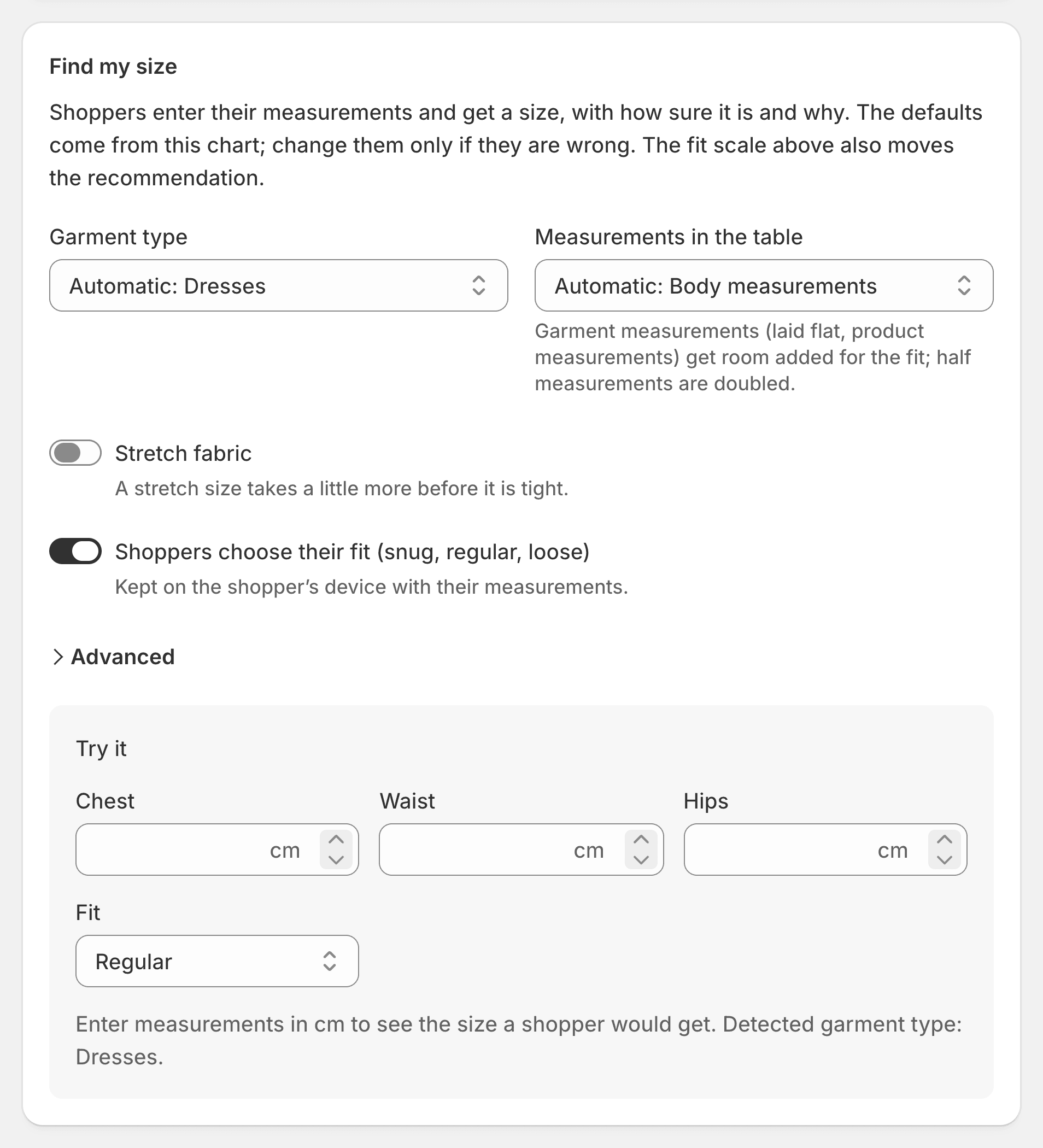
Everything above is automatic. The chart editor's Fit and Find my size tab lets you correct it: the garment type, body or garment measurements, stretch fabric, whether shoppers choose their fit, and under Advanced, the main measurement and the room added to garment measurements. A live test runs the same engine on the chart you are editing.
The benchmark
We tested Find my size on 40,000 simulated shoppers, 20,000 women and 20,000 men, whose measurements are drawn from published body surveys (NHANES 2015 to 2018, ANSUR II), on 21 adult templates set to true to size, plus 16 charts of garment measurements built from 8 of them. Each shopper measured with a realistic error (1.7 cm on circumferences, rounded to the half centimeter). Their right size was the smallest size whose range held every measurement that matters for the garment.
Find my size gave the exact size to 65.8% of them and their size or the next to 94.5%, against 49.2% and 72.1% for a plain lookup in the same charts. On charts of garment measurements, it got 64.5% exact, where a lookup gets 9 to 14%.
Its limits: the simulated measurements vary independently, which makes them disagree more than on real bodies; the survey waist is measured at the top of the hip bone, not at the natural waist a chart uses; there are no children in the test; and "the right size" is a rule, not a fitting room. More on the Find my size page and on fit by product.
Questions
Does Find my size send measurements to a server?
No. It runs in the shopper's browser, and the measurements are saved on their device only, never sent. Ruban Size only receives anonymous daily counters, such as how many sizes were found.
What happens if a shopper is between two sizes?
Find my size says so and picks one: "You are between 32 and 34. We suggest 32." Switching "Fit I like" to Snug or Loose changes the answer at once.
Which charts work with Find my size?
Every chart with at least one measurement row or column, like chest, waist or foot length. 37 of the 39 templates have it; necklaces and socks are conversion tables.
Is Find my size on the free plan?
Yes, on every plan. The estimate from height, weight and age is on the Fit plan, at $9.99 a month. Plans are on the pricing page.
Keep reading
- Find my sizeWhat a size recommender is, and the three kindsA size recommender turns what a shopper knows about their body into one size of your chart. It works from their measurements, from an estimate based on height, weight and age, or from a quiz or a model trained on past orders. Each kind trades the shopper's effort against certainty.5 min
- Find my sizeCan you guess a size from height and weight?Roughly, yes. Equations from large body surveys estimate chest, hips and waist from height, weight and age, but two people of the same build can differ by about a clothing size. Show the result as an estimate with the chances of each size, and invite the shopper to measure.6 min
- Sizing explainedHow much ease clothes need: the numbers by garmentEase is the garment measurement minus the body measurement. A fitted top needs about 8.9 cm (3.5 in) at the chest, a regular one 11.6 cm (4.6 in), a regular coat 18.9 cm (7.4 in). The full table by garment is below.7 min
- Find my sizeSize quiz or measurements: which finds the right size?Measurements find the right size more often, when the shopper has a tape and the chart has measurements. A quiz is faster and works without either, at the cost of an estimate. Offer measurements first, and an estimate from height and weight for shoppers who can't measure.5 min